VSCode using the Airai tutorial
1. Search in the app store
2. Open the settings and make a selection
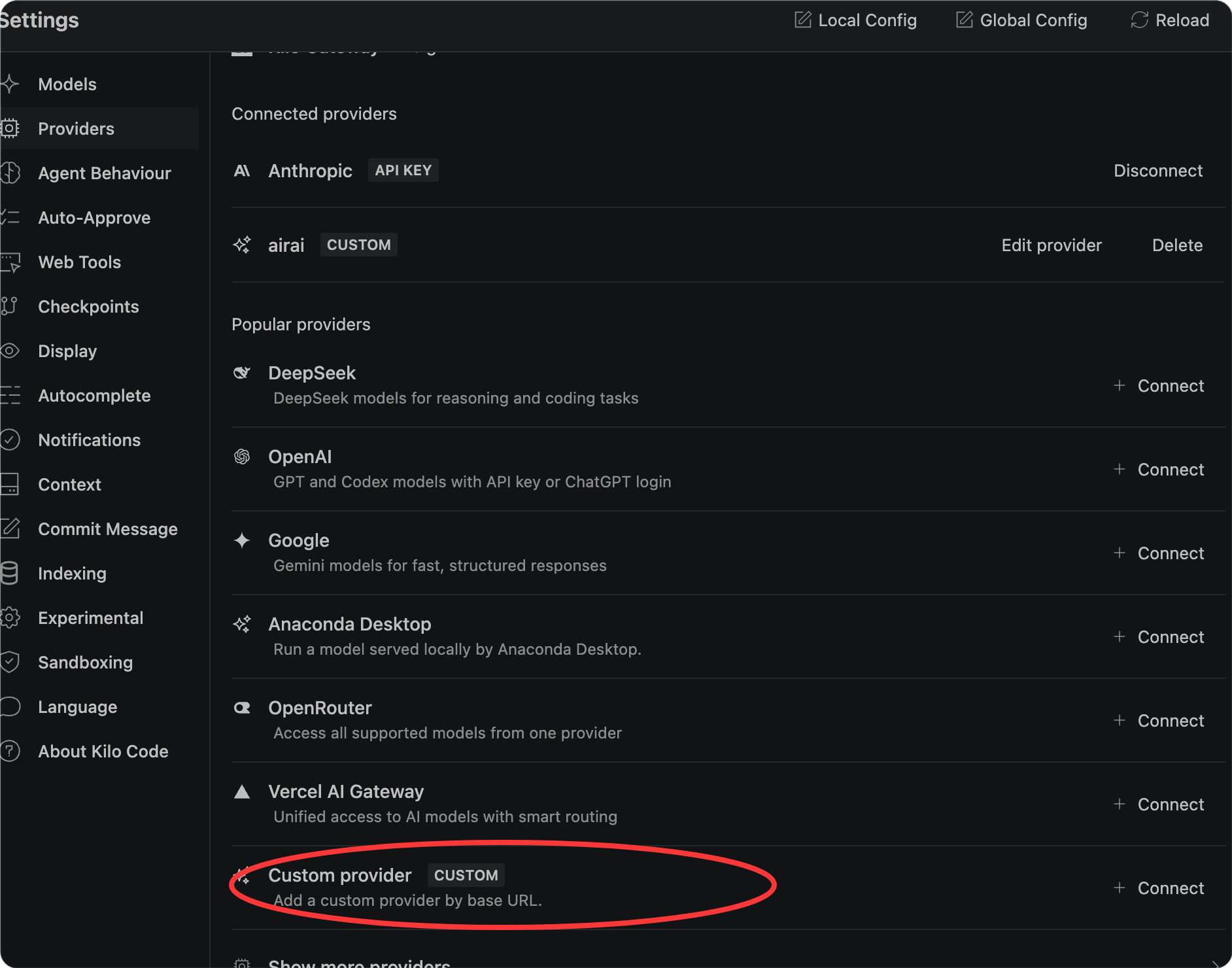
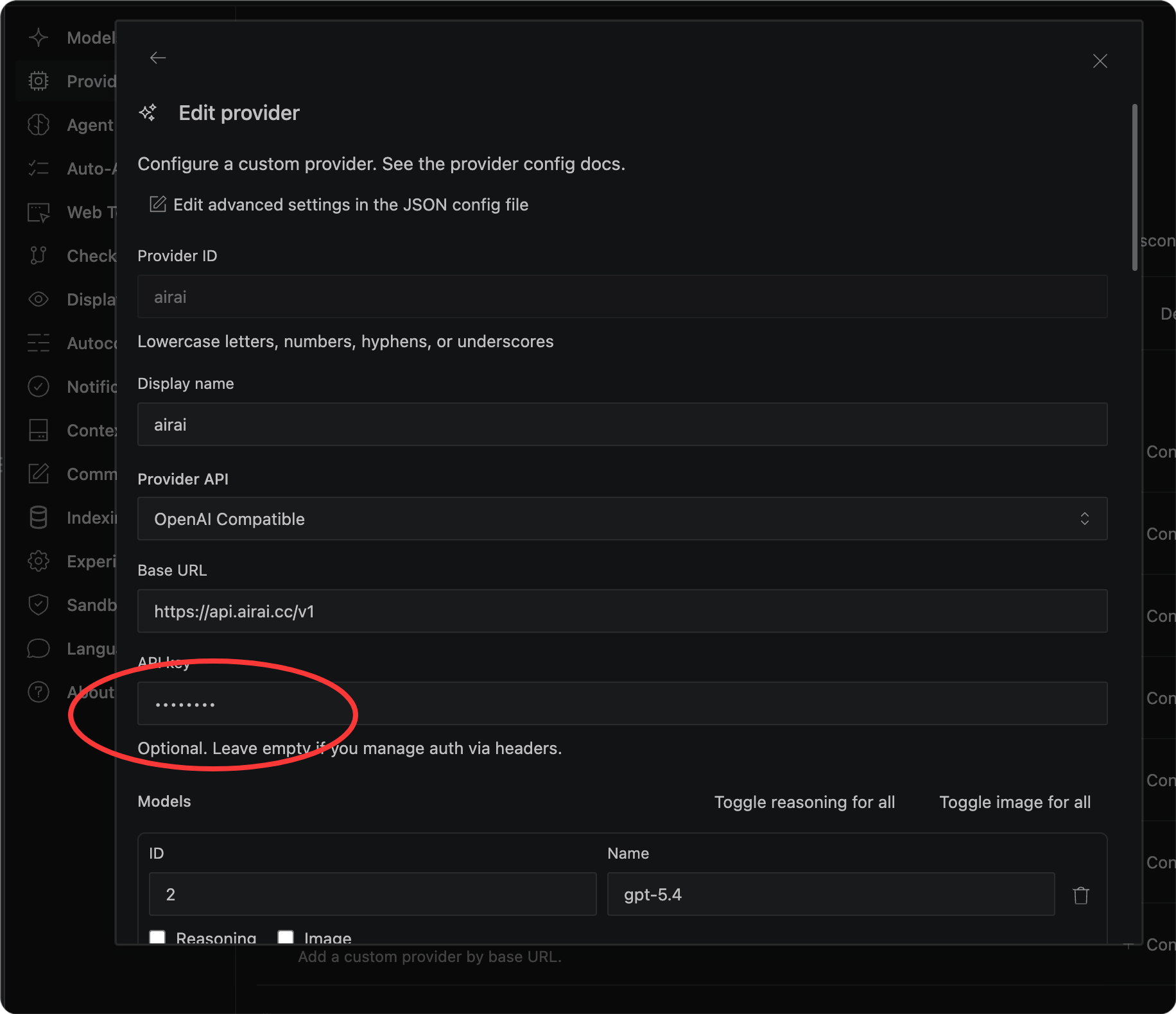
3. Fill in the information; for the API key, use the one you just obtained, which is sk-xxxxxxxxx.
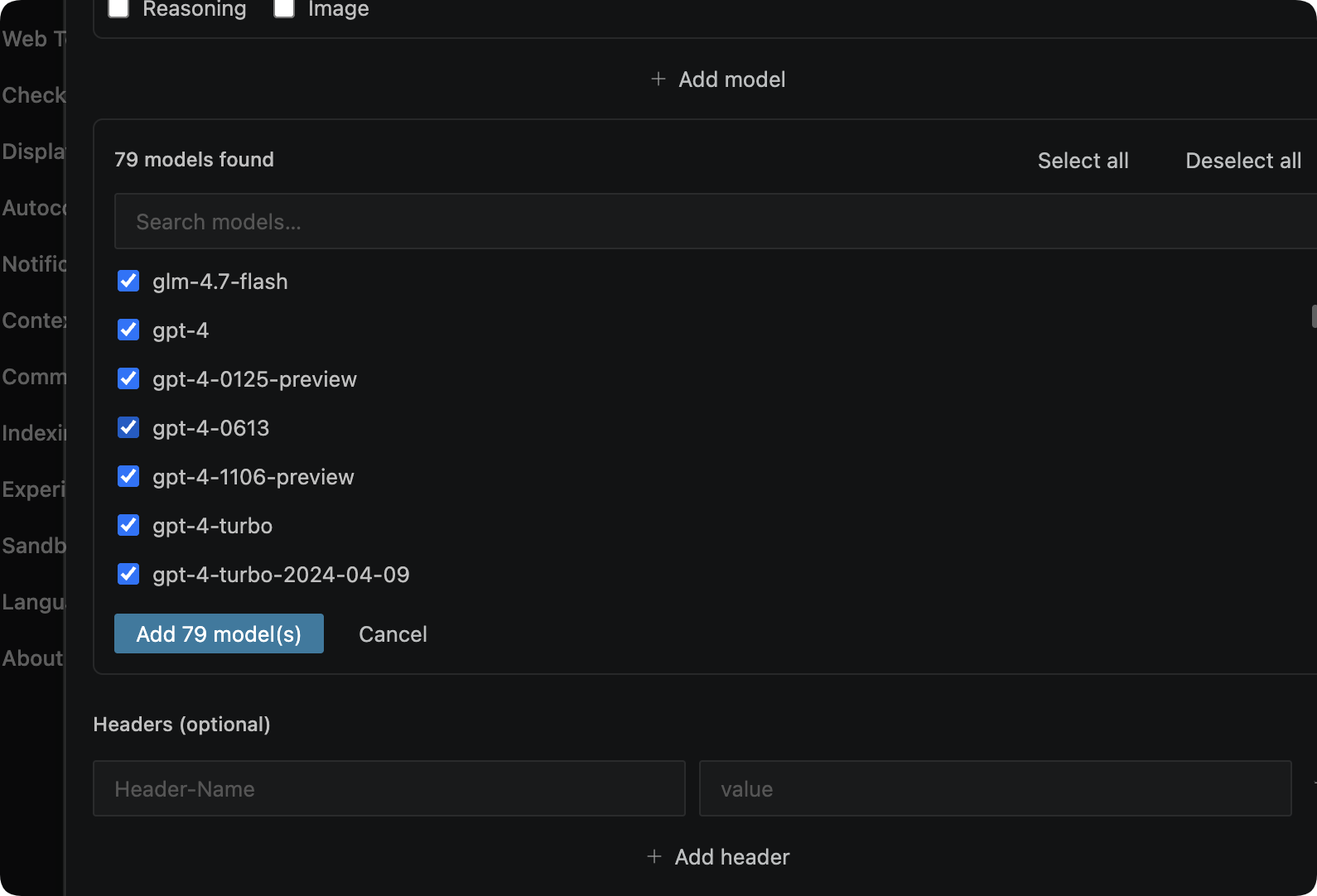
4. Scroll down to add the model and save it.
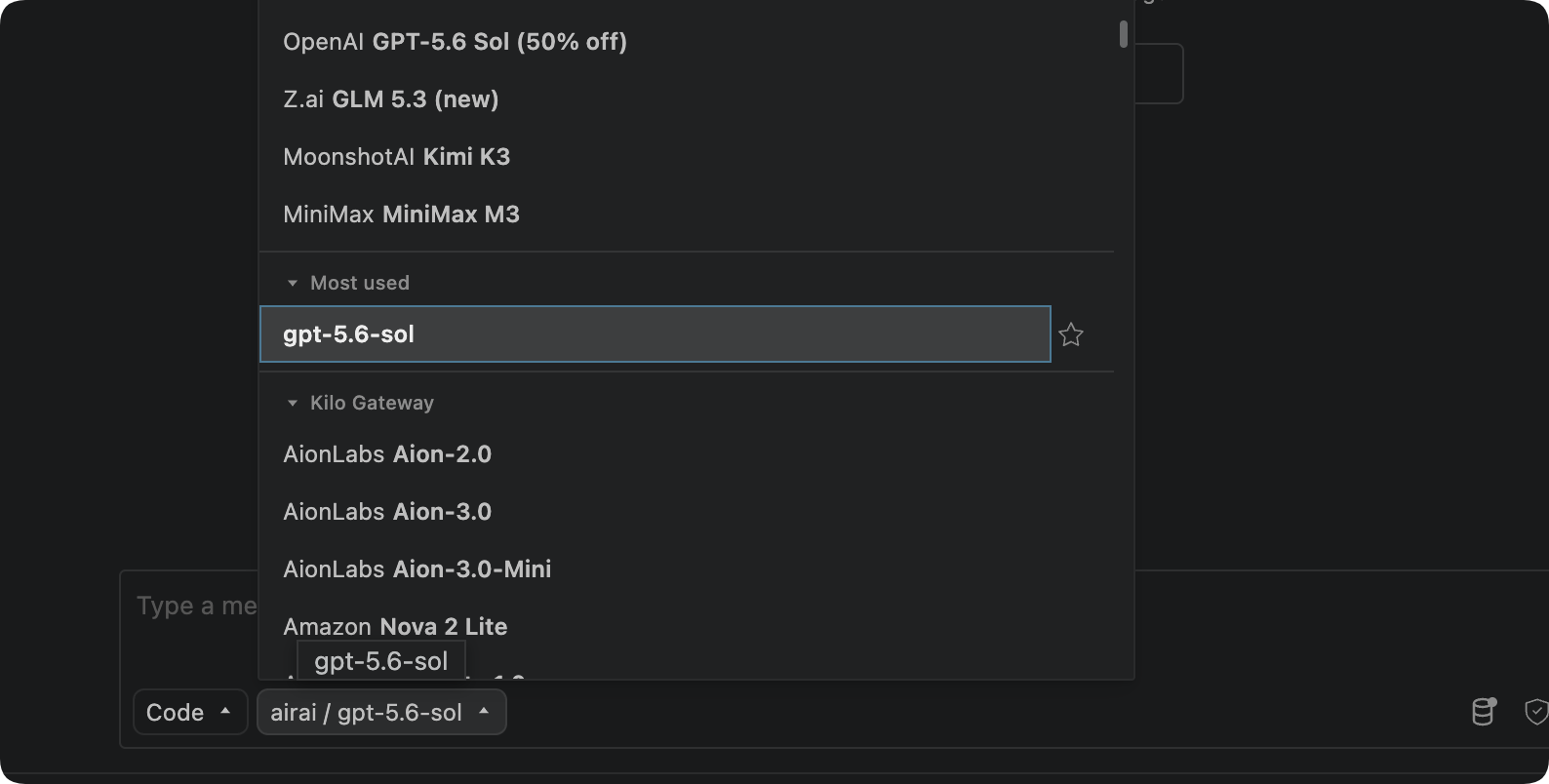
4. Select the model to start programming.
Posted by @oneai on AIRAI. Contact us if you have questions.
Article link:https://airai.cc/en/appsetting/50/
Article link:https://airai.cc/en/appsetting/50/
Was this helpful?